
Can You Build a Mobile App With Nuxt?
Yes, with limits. Compare a Nuxt PWA, Nuxt Capacitor and Nuxt Ionic, see the Nuxt 4 PWA setup, and learn when Nuxt is the wrong choice.
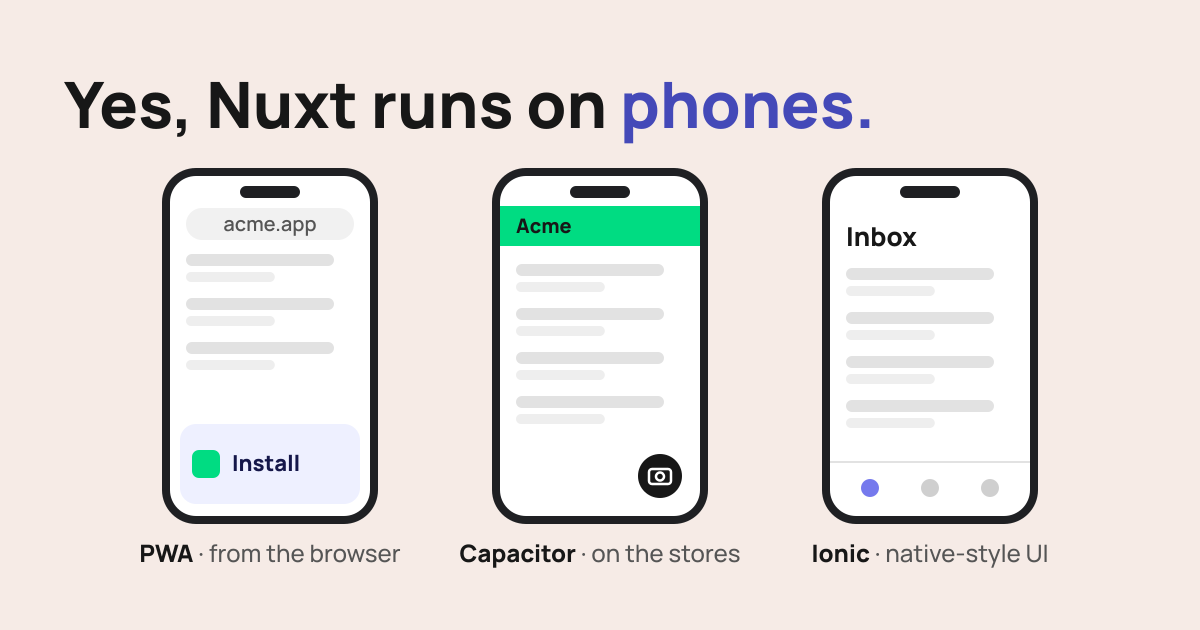
Yes, you can build a mobile app with Nuxt, but not the way you build a website with it. A phone doesn't run your Nuxt server, so the app ships as static files: installed from the browser as a PWA, or wrapped by Capacitor for the App Store and Google Play. This guide compares the options, walks through the setup for each, and covers when Nuxt is the wrong tool.
Nuxt Mobile App: The Short Answer
A Nuxt mobile app is a Nuxt web app packaged for phones, and there are three ways to package it. The quickest is a PWA: users install your site from the browser and it works offline. Capacitor wraps the same app in a native shell, so it can go on the stores and call device APIs. Ionic is Capacitor plus a component library that looks and behaves like iOS and Android. And when the app is the product, skip Nuxt and go native with Swift and Kotlin or React Native.
| Option | Store listing | Device APIs | Code reuse from web | Effort |
|---|---|---|---|---|
| Nuxt PWA | No | Browser APIs only, fewer on iOS | Almost all | Low |
| Nuxt + Capacitor | Yes | Yes, through plugins | Most | Medium |
| Nuxt + Ionic | Yes | Yes, through Capacitor | Logic yes, UI rewritten in Ionic components | Medium to high |
| Native or React Native | Yes | Full | Little to none | High |
How Nuxt Fits Into a Mobile Build
On the web, Nuxt usually renders pages on a server. If you need a refresher on its rendering modes, see What is Nuxt. Inside a mobile app there is no server. Capacitor loads HTML, JavaScript and CSS from the device, and a PWA caches the same files in the browser.
So the mobile build is a client-rendered single-page app. Set ssr: false and run nuxt generate, and Nuxt writes an index.html entry point and a 200.html fallback to .output/public/. Your Vue components, composables, Pinia stores and routing all carry over. Server routes in server/api don't: the app has to call an API hosted somewhere else.
Option 1: Nuxt PWA
A Nuxt PWA is your site plus two things: a web app manifest, which gives it a name, icon and full-screen launch, and a service worker, which caches files so it opens offline. Users install it from the browser. On iOS 26, every site added to the Home Screen opens as a web app by default.
Nuxt 4 PWA Setup
The module for a Nuxt 4 PWA is @vite-pwa/nuxt. The old @nuxtjs/pwa was built for Nuxt 2 and is archived.
- Install the module:
npx nuxi@latest module add @vite-pwa/nuxt
- Add a manifest and an update strategy:
// nuxt.config.ts
export default defineNuxtConfig({
  modules: ['@vite-pwa/nuxt'],
  pwa: {
    registerType: 'autoUpdate',
    manifest: {
      name: 'Acme Field App',
      short_name: 'Acme',
      theme_color: '#00DC82',
      icons: [
        { src: '/pwa-192.png', sizes: '192x192', type: 'image/png' },
        { src: '/pwa-512.png', sizes: '512x512', type: 'image/png' },
      ],
    },
  },
})
- Put
<NuxtPwaManifest />inapp.vue, above<NuxtPage />, so every page links the manifest. - Build and test the production output. In development the service worker is off unless you set
devOptions: { enabled: true }.
Where a PWA Falls Short
iOS is the main limit. Web Push works for Home Screen web apps since iOS 16.4, but WebKit has declined to implement Web Bluetooth, Web NFC and Background Sync, so a PWA on iPhone can't talk to hardware or sync in the background.
Storage is less durable than in a native app. Safari can clear data a site wrote, including IndexedDB and service worker caches, after a stretch without user interaction, so keep the real copy of user data on your server.
And a PWA isn't in the App Store or Google Play. If your users look for apps there, they won't find you. For internal tools and repeat-visit products that's often fine; for a consumer app competing on the stores, it isn't.
Option 2: Nuxt Capacitor
Capacitor puts your built web app inside a real iOS and Android project, with plugins for the camera, files, push notifications and other device APIs. A Nuxt site can run inside Capacitor once it is built as static files, and that's where most failed Nuxt Capacitor builds go wrong.
- Set
ssr: falseinnuxt.config.tsfor the app build. - Install Capacitor and create its config:
npm i @capacitor/core
npm i -D @capacitor/cli
npx cap init
- Point Capacitor at Nuxt's static output:
// capacitor.config.ts
import type { CapacitorConfig } from '@capacitor/cli'

const config: CapacitorConfig = {
  appId: 'com.acme.fieldapp',
  appName: 'Acme Field App',
  webDir: '.output/public',
}

export default config
- Add the platforms, build and sync:
npm i @capacitor/ios @capacitor/android
npx cap add ios
npx cap add android
npx nuxi generate
npx cap sync
- Open the native project with
npx cap open iosornpx cap open androidand run it.
The trap is step 4. nuxt build produces a Node server in .output/server and doesn't write a static .output/public you can ship, so Capacitor has nothing to load. Use nuxt generate, and run npx cap sync after every build.
Two more things save time. API calls need an absolute URL, because the app has no server of its own; keep the address in runtimeConfig.public so the web and app builds can point at the same backend. And for development, Capacitor's live reload loads the app from your dev server through a server.url setting, so you don't rebuild for every change. Capacitor's docs warn not to commit that setting, since a release build would still point at your laptop.
Capacitor 8 needs Node 22 or later, Xcode 26 for iOS builds and a recent Android Studio.
Option 3: Nuxt Ionic
Ionic adds a component library that follows iOS and Android design patterns: native-style navigation and transitions, tab bars, swipe gestures and platform-specific styling. The @nuxtjs/ionic module wires it into Nuxt. Nuxt Ionic auto-imports Ionic components and icons, connects Ionic's router to your pages/ folder, and sets up Capacitor.
It's worth it when the app has to feel at home on a phone: deep navigation stacks, bottom tabs, pull to refresh. For a mostly read-only app, your existing UI in Capacitor is often enough.
Two catches. The module's docs build with ssr: false, so a Nuxt Ionic app is a client-rendered app on the web too, without SSR. And at the time of writing, its latest release bundles Ionic 8 and Capacitor 7, a major version behind each.
Can You Share One Codebase for Web and Mobile?
Yes, but not one build. The website wants server rendering for SEO and speed. The app needs ssr: false and static files. That means two build configurations, and usually some code that only runs in one of them.
Nuxt layers are the cleanest way to organize this. Put components, composables, stores and API clients in a shared base layer. The web app extends it with SSR and server routes; the mobile app extends it with ssr: false, Capacitor plugins and mobile-only screens. Each stays a normal Nuxt app, and the shared code lives in one place. Code that touches device APIs belongs in the mobile layer, so the website never imports a Capacitor plugin it can't use.
When Nuxt Is the Wrong Choice for Mobile
Skip the web stack when the app depends on heavy native features such as continuous Bluetooth, background location or long-running background work. The same goes for games and anything with demanding animation, where a WebView is the wrong engine.
Watch the store rules too. Apple's guideline 4.2 expects an app to have features, content and UI that "elevate it beyond a repackaged website." A thin wrapper around your marketing site will likely be rejected.
If you're unsure which side of the line your app falls on, our Vue.js consulting team can review the requirements before you commit to a stack.
Conclusion
Nuxt is a good fit for mobile when you already have a Vue web app and want it on phones: a PWA for reach, Capacitor for the stores, Ionic for a native feel. It isn't a fit for hardware-heavy apps or games. As an official Nuxt partner, we can help you pick the route, and our Nuxt development services cover the build.
FAQs
Can a Nuxt app go on the App Store?
Yes, if you wrap it with Capacitor, which builds a real iOS project you submit through Xcode. Apple's review guidelines reject apps that are just a repackaged website, so the app needs features, content and UI that work like an app.
Is a PWA enough, or do I need Capacitor?
A PWA is enough when users find you through the web and the app needs offline support, push notifications and an icon on the home screen. Choose Capacitor when you need a store listing or device features the browser doesn't expose, such as Bluetooth or NFC on iPhone.
Does Nuxt SSR work in a Capacitor app?
No. Capacitor loads static files from the device, so there is no server to render pages. Build the app with ssr: false and nuxt generate, and call your API on a hosted server instead of Nuxt server routes.
Can I turn my existing Nuxt site into a mobile app?
Often, yes. Add a PWA manifest and service worker for the quickest route, or add Capacitor and a static build for a store app. The work is in the parts that assume a server: server routes, server-only data fetching and anything that reads cookies on the server.
Is Nuxt better than React Native for mobile?
They solve different problems. React Native renders real platform UI components, while a Nuxt app inside Capacitor renders HTML in a WebView. Pick React Native for a mobile-first product, and Nuxt with Capacitor when you want to reuse a Vue web app on phones.
Can I build a desktop app with Nuxt Electron?
You can, but the nuxt-electron module was last released in December 2023 and targets Nuxt 3. Tauri 2 has an official Nuxt guide: it runs a static Nuxt build with ssr: false in the system WebView instead of bundling Chromium like Electron does.
Vue.js is our passion. Open Source is our culture 😍