
Nuxt vs Next.js: Which Framework Should You Choose?
Next vs Nuxt compared by an official Nuxt partner: rendering, data fetching, deployment, SEO and hiring, plus when to pick Nuxt.js vs Next.js.
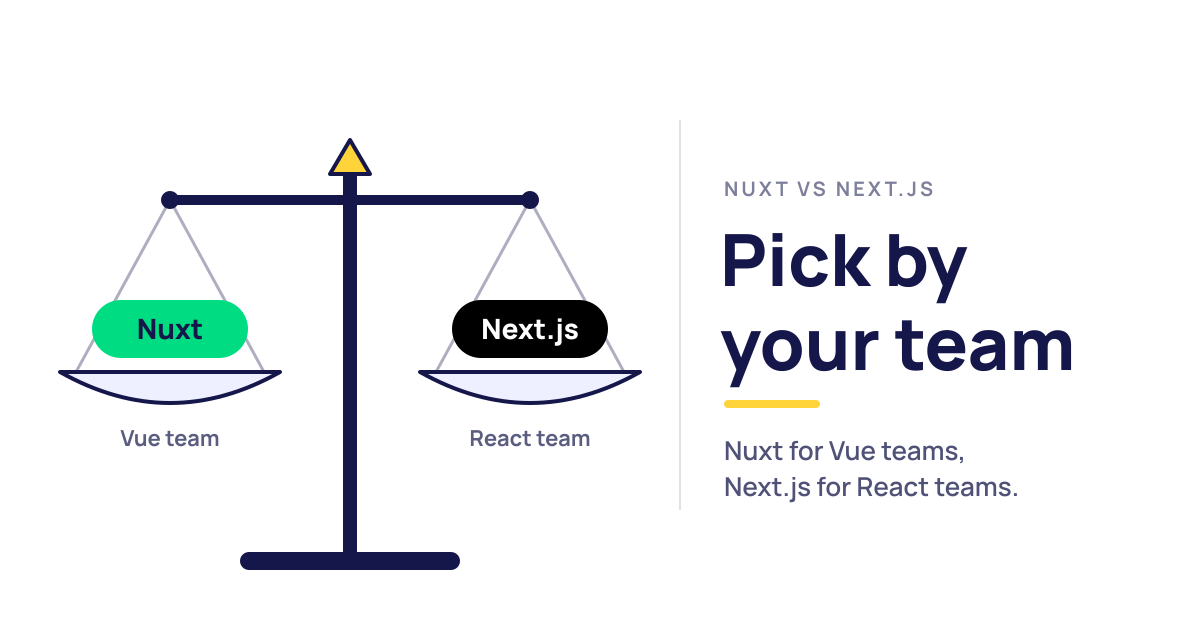
Nuxt vs Next is the framework question for teams that want server rendering. Both are full-stack frameworks: Nuxt is built on Vue, Next.js on React. We have built with Nuxt since 2017 and are an official Nuxt partner, and we'll also say where Next.js is the better call. This guide compares the two on rendering, data, deployment, SEO and hiring.
Nuxt vs Next: The Short Answer
If your team writes Vue, choose Nuxt. If your team writes React, choose Next.js. That is the honest answer for most projects, because each framework is the standard full-stack option for its UI library, and switching libraries costs more than any feature gap between the two frameworks.
Beyond the team, the two are closer than most comparisons suggest. Both render on the server, prerender static pages, route from files, run API endpoints and deploy to serverless platforms. Here's how they line up:
| Nuxt | Next.js | |
|---|---|---|
| UI library | Vue 3 | React 19 |
| Current version (Nov 2026) | Nuxt 4.6 | Next.js 16.4 |
| Rendering | SSR by default; SSG, SPA, SWR and ISR per route with route rules | Static and dynamic per route; Cache Components and partial prerendering |
| Data fetching | useFetch / useAsyncData, transferred to the browser with the page | async Server Components, plus 'use cache' |
| Server code | Nitro routes in server/ | Route Handlers and Server Functions |
| Builder | Vite | Turbopack |
| Hosting | Nitro presets for Node.js, static, serverless and edge | Vercel, or Node.js and Docker; adapters for other platforms |
| Usage (Stack Overflow 2025) | 4% | 20.8% |
| License | MIT | MIT |
The rows that change decisions are the UI library, hosting and hiring. The other rows describe the same capabilities, built differently.
What Are Nuxt and Next.js?
Both appeared in late 2016, and they're related. Next.js brought server rendering to React, and Nuxt followed shortly after as the same idea for Vue; its first README called it inspired by Next.js. Ten years on, they have grown apart in architecture but still solve the same problem.
What Is Nuxt?
Nuxt is the full-stack framework for Vue. It adds file-based routing, server rendering, static generation, data fetching and a server layer called Nitro to Vue components. It's open source under the MIT license and builds with Vite by default. If you're new to it, our guide What is Nuxt covers how it works and what it's used for.
What Is Next.js?
Next.js is the full-stack framework for React, created and maintained by Vercel. Its App Router makes every page a React Server Component by default, loads data on the server and builds with Turbopack. React's own docs recommend a framework like it for new apps. If you're coming from Vue and wondering how Next.js compares with plain Vue, see Vue JS vs Next JS.
Next vs Nuxt: Key Differences
The real next vs nuxt differences are in how each one models components, caching and server code. Here they are area by area.
Vue vs React Underneath
Most of the differences start one layer down. Nuxt components are Vue single-file components: an HTML-like template, a <script setup> block and scoped styles. Reactivity is built in, so a ref or computed value updates only what depends on it, without memoization hooks.
Next.js components are React functions that return JSX. State lives in hooks, re-renders follow React's rules, and the React Compiler can now handle much of the memoization that used to be manual.
State follows the same split. Nuxt has useState for state shared between server and client, and Pinia is the official store when an app needs more. In Next.js, Server Components can't hold state or read React context, so shared state lives in client components through context or a library like Zustand or Redux Toolkit.
Neither model is better in the abstract. Vue is usually quicker to pick up and has fewer ways to get re-renders wrong. React has the bigger ecosystem and more developers who already know it. Our Vue vs React comparison goes through both libraries in detail, including how common patterns translate.
Rendering and Caching
Both frameworks render on the server by default and send HTML that hydrates in the browser. They differ in where you decide how a page renders.
Nuxt puts that decision in one place, routeRules in nuxt.config.ts:
export default defineNuxtConfig({
  routeRules: {
    '/': { prerender: true },
    '/blog/**': { swr: 3600 },
    '/products/**': { isr: true },
    '/dashboard/**': { ssr: false },
  },
})
That one block prerenders the homepage, caches blog pages with stale-while-revalidate, keeps product pages in the CDN cache until the next deploy and turns the dashboard into a client-only app. On Vercel and Netlify, Nuxt turns these rules into the platform's own CDN rules. A number instead of true, like isr: 3600, regenerates the page at most once an hour.
Next.js decides inside the code. Without Cache Components, a route is static unless it reads request data like cookies or headers. Cache Components, which Next.js 16 made a top-level cacheComponents option, flips that: data is dynamic by default, and you mark what to cache with the 'use cache' directive:
// Next.js: app/blog/page.tsx, with cacheComponents: true
import { cacheLife, cacheTag } from 'next/cache'

async function Posts() {
  'use cache'
  cacheLife('hours')
  cacheTag('posts')
  const posts = await db.posts.findMany()
  return <ul>{posts.map(p => <li key={p.id}>{p.title}</li>)}</ul>
}
Cached components go into a static shell that is served at once, and anything that reads cookies or headers streams in behind a Suspense boundary. That's partial prerendering. When the data changes, a Server Action calls updateTag('posts') and the next visitor gets fresh content. You get fine control per component and on-demand invalidation by tag, but no single file tells you how the site caches.
If SSR, SSG and CSR are new terms, our explainer on SSR, SSG and CSR in Vue covers them first.
Data Fetching and Server Components
Here's the same product list in both:
<!-- Nuxt: app/pages/products.vue -->
<script setup lang="ts">
const { data: products } = await useFetch('/api/products')
</script>

<template>
  <ul>
    <li v-for="p in products" :key="p.id">{{ p.name }}</li>
  </ul>
</template>
// Next.js: app/products/page.tsx
export default async function Page() {
  const products = await db.products.findMany()
  return (
    <ul>
      {products.map(p => <li key={p.id}>{p.name}</li>)}
    </ul>
  )
}
In Nuxt, useFetch runs during server rendering, and the result travels to the browser inside the page payload, so the request isn't repeated on hydration. The component itself still hydrates and can be interactive.
In Next.js, the page is a Server Component. It can query the database directly, and its code never reaches the browser. Anything interactive goes into a separate file marked 'use client'. That split is the biggest conceptual difference between the frameworks. It can cut client JavaScript on content-heavy pages, and it is also where most of the Next.js learning curve sits.
After the first load, both behave like single-page apps. Nuxt components call $fetch or refresh a useFetch result for new data. Next.js client components use fetch or a library like TanStack Query or SWR, and server data refreshes through Server Actions or router.refresh().
Server Routes: Nitro vs Route Handlers and Server Actions
Nuxt's server layer is Nitro. Any file in server/api/ becomes an endpoint:
// server/api/products.get.ts
export default defineEventHandler(() => db.products.findMany())
Nitro routes are full HTTP endpoints with middleware, caching helpers and storage. Pages that call them through useFetch get the response type automatically.
Next.js has two tools. Route Handlers (app/api/products/route.ts exporting a GET function) are its HTTP endpoints. Server Functions, often called Server Actions, are async functions marked 'use server' that a form or a client component calls directly, with no endpoint to write. They're convenient for mutations. Nuxt has no direct equivalent, so a form posts to a Nitro route instead. Here's the same "create post" mutation in both:
// Next.js: a Server Action inside a Server Component
import { updateTag } from 'next/cache'

export default function NewPost() {
  async function createPost(formData: FormData) {
    'use server'
    await db.posts.create({ data: { title: formData.get('title') } })
    updateTag('posts')
  }

  return (
    <form action={createPost}>
      <input name="title" required />
      <button type="submit">Publish</button>
    </form>
  )
}
// Nuxt: server/api/posts.post.ts
export default defineEventHandler(async (event) => {
  const { title } = await readBody(event)
  return db.posts.create({ data: { title } })
})

// in a component
await $fetch('/api/posts', { method: 'POST', body: { title } })
The Nuxt version is one more file, but the result is a plain HTTP endpoint that a mobile app, a webhook or a test can call too. A Server Action is private to the app, and like any endpoint, it still needs its own auth and input checks.
Routing and Project Structure
Both route from the file system. In Nuxt 4, app/pages/products/[id].vue is a route, and layouts live in app/layouts/. In Next.js, the same route is a folder, app/products/[id]/, holding a page.tsx next to optional layout.tsx, loading.tsx and error.tsx files.
The Next.js convention puts more files in each route but makes loading and error states part of the file structure. It also supports parallel and intercepting routes, which help with things like modal routes. Nuxt handles the same states in code: useFetch returns a status for loading UI, <NuxtLoadingIndicator> shows navigation progress, <NuxtErrorBoundary> catches errors in part of a page, and one error.vue file renders full-page errors. Nuxt keeps one file per route, adds route middleware in app/middleware/ and splits app code (app/) from server code (server/). Request-level logic goes into Nitro middleware in Nuxt and into proxy.ts (formerly middleware.ts) in Next.js 16.
Developer Experience and Tooling
Nuxt auto-imports Vue APIs, your components and your composables, with generated types. Nuxt DevTools shows routes, components, payloads and server routes in the browser. Modules add features like images, content, i18n, auth and SEO with one line of config.
Next.js imports everything explicitly, which some teams prefer for readability. It builds more in: next/image, next/font and next/script ship with the framework, where Nuxt uses official modules (@nuxt/image with <NuxtImg>, and @nuxt/fonts) that you add when you need them. Turbopack is the default for next dev and next build since Next.js 16, and new React features reach Next.js first. In exchange, there are more rules to keep in your head: which components run where, what is cached, and for how long.
Both are TypeScript-first and test well with Vitest. Nuxt has an official @nuxt/test-utils package that runs tests inside a Nuxt environment. Next.js documents setups for Vitest, Jest and Playwright, though async Server Components are easier to cover with end-to-end tests than with unit tests.
Deployment and Hosting
This is where the two differ most in practice. Nitro builds a Nuxt app for whatever target you name: a Node.js server, static files with nuxt generate, or presets for Netlify, Vercel, Cloudflare, AWS Lambda, Deno and more. This site is a Nuxt 4 app generated to static files and served from Netlify.
Next.js runs with zero config on Vercel, which builds the platform around it. Self-hosting is fully supported with next start or the output: 'standalone' build in Docker. Other platforms rely on the Deployment Adapter API or on community projects like OpenNext. Most features work, but shared caching and image optimization can need extra setup on serverless hosts, so check what your host supports.
Nuxt.js vs Next.js: Performance and SEO
On Nuxt.js vs Next.js performance, the framework matters less than the choices you make in it. Both can serve prerendered HTML from a CDN, which is as fast as a first load gets. Both can server-render per request and cache the result. The difference shows up in how much JavaScript each page ships.
Next.js can keep large parts of a page out of the client bundle with Server Components. A blog post or product page made mostly of content may hydrate only a few interactive pieces. Nuxt hydrates the whole page by default but offers lazy hydration (hydrate-on-visible, hydrate-on-idle and similar props on lazy components) and experimental server components for the same goal. Vue's smaller runtime and fine-grained reactivity help on the client side.
Either way, a slow page usually has the same causes: big dependencies, unoptimized images, third-party scripts. Be wary of benchmarks that compare two "hello world" apps. They measure framework overhead that real pages dwarf. Field data from your own users, in Search Console or a RUM tool, says more. Our guide to Vue.js performance optimization covers the Nuxt side in depth.
For SEO, there's no meaningful gap. Both send complete HTML to crawlers, including AI crawlers that don't run JavaScript. Next.js has the Metadata API and sitemap.ts / robots.ts files. Nuxt has useSeoMeta and useHead, and the Nuxt SEO module adds sitemaps, robots rules, structured data and OG images. This site uses that module for all of its schema and sitemap output. Our post on SEO for Vue and Nuxt explains the setup, including what AI agents need.
Ecosystem, Community and Hiring
Next.js is the bigger ecosystem on every number we checked. In the week of November 1–7, 2026, the next package had about 92.6 million npm downloads against 3.3 million for nuxt. The Next.js repository has around 143,000 GitHub stars, Nuxt about 61,000. The 2025 Stack Overflow Developer Survey shows the same picture: 20.8% of respondents used Next.js, 4% used Nuxt.
Nuxt's ecosystem is smaller but well organized. Modules are listed in one directory on nuxt.com, Nuxt UI is free and open source, and Nuxt layers let teams share a design system or a whole base app across projects.
The size gap shows most in third-party code. Headless CMSs, auth providers and payment SDKs usually ship React and Next.js examples first. Vue and Nuxt support exists for the major ones, but sometimes as a community package. On the UI side, Vue has Vuetify, PrimeVue, Quasar and Nuxt UI; React has MUI, Radix and shadcn/ui.
For hiring, the numbers favour Next.js: more React developers, more candidates with framework experience. The Nuxt pool is smaller, but it sits inside the Vue pool (17.6% in the same survey), and Vue developers pick up Nuxt quickly. Senior Nuxt experience, especially SSR debugging and Nitro, is harder to find. If you need it on short notice, you can hire Nuxt developers from our team.
Nuxt, Next.js and Vercel
Next.js is Vercel's framework. Vercel employs the core team, sets the roadmap and builds its platform features around it.
Nuxt was independent until July 2025, when NuxtLabs, the company behind Nuxt and Nitro, joined Vercel. Both sides committed that Nuxt and Nitro stay MIT-licensed, with open governance and a public roadmap, and that Nitro stays vendor-neutral. Vercel also committed to making paid NuxtLabs products free and open source, and Nuxt UI v4 now includes the components that used to be in Nuxt UI Pro.
In practice, the move gave Nuxt's core team stable funding. Nuxt still deploys to Netlify, Cloudflare or your own servers as easily as to Vercel.
Next.js vs Nuxt.js: Which Should You Choose?
The choice of Next.js vs Nuxt.js usually follows the UI library your team already uses. When that's not settled, the project type decides:
| Team or project | Pick |
|---|---|
| Existing Vue team or Vue codebase | Nuxt |
| Existing React team or React codebase | Next.js |
| Content site, blog or docs | Either; Nuxt if hosting is not Vercel |
| E-commerce storefront | Either; follow the team |
| SaaS with a public site and a logged-in app | Either; Nuxt route rules make the split simple |
| Must run on several hosts or on-premises | Nuxt |
| Depends on React-only libraries | Next.js |
| Needs the largest hiring pool | Next.js |
| Small team that wants a gentle learning curve | Nuxt |
For a greenfield project with no existing code, look at who will maintain it. If you're hiring locally, check how many Vue and React developers your market has. If an agency or partner builds it, pick the framework they know deeply. And think about hosting for the next five years, not just the launch: moving a Nuxt app between providers is a config change, while a Next.js app built around Vercel features takes more work to move.
Choose Nuxt If...
- Your team knows Vue, or you're building on Vue component libraries like Vuetify, PrimeVue or Nuxt UI
- You want rendering, caching and redirects for the whole app in one config block
- You deploy somewhere other than Vercel, or need to switch hosts later
- You want one component model on server and client, with less to learn
- You want auto-imports, modules and layers to cut boilerplate across projects
For a larger example, we've worked on a social network built on Vue and Nuxt since 2020, with video streaming and live messaging.
Choose Next.js If...
- Your team knows React and wants to stay there
- You rely on React-only libraries, design systems or React Native code sharing
- You plan to host on Vercel and use its platform features
- You want Server Components and Server Actions as the core architecture
- You need the largest pool of candidates and community answers
Moving Between Next.js and Nuxt
Moving in either direction is a port, not a conversion. Every component has to be rewritten from JSX to Vue templates, or back. The concepts map closely, though, so the work is mostly translation rather than redesign:
| Next.js | Nuxt |
|---|---|
app/products/[id]/page.tsx | app/pages/products/[id].vue |
layout.tsx | app/layouts/*.vue |
loading.tsx | status from useFetch, <NuxtLoadingIndicator> |
error.tsx | <NuxtErrorBoundary>, error.vue |
| Async Server Component fetching data | useFetch / useAsyncData in <script setup> |
Route Handler (route.ts) | Nitro route in server/api/ |
| Server Action | Nitro POST route plus $fetch |
proxy.ts | server/middleware/ or app/middleware/ |
generateMetadata | useSeoMeta / useHead |
next/link, next/image | <NuxtLink>, <NuxtImg> |
useState, useEffect | ref, watch, onMounted |
| Context, Zustand | useState, Pinia |
Code that isn't tied to React or Vue moves as is: TypeScript types, API clients, validation schemas, utility functions and most tests for them. Moving that code into shared packages first makes the rest of the port smaller.
The safest route is to move section by section behind a proxy, so both apps serve parts of the site until the old one is gone. Start with simple, high-traffic pages, compare their HTML and Core Web Vitals with the old version, then move the logged-in parts. Keep URLs, meta tags, structured data and redirects identical to protect search rankings.
If part of your stack is already an older Nuxt 2 app, upgrade it before or during the move so you end up on one version. Our Nuxt migration services cover that upgrade to Nuxt 3 and 4.
Conclusion
Nuxt and Next.js are equals in what they can build. Both server-render, prerender, cache per route and run API code, and both produce sites that rank and load fast. The decision mostly comes down to Vue or React. After that, hosting freedom and a simpler mental model point to Nuxt, while the bigger ecosystem and hiring pool point to Next.js.
We're an official Nuxt partner and have built Nuxt apps since 2017. If you're starting a Nuxt project or weighing the two, our Nuxt development services can help.
FAQs
Is Nuxt better than Next.js?
Not in general. Both are mature full-stack frameworks with server rendering, file-based routing and API routes. Nuxt is the better choice for a Vue team and Next.js for a React team, and that one fact outweighs every feature difference.
Nextjs vs Nuxt: which is faster?
Neither wins by default. Page speed depends on the rendering mode, caching and how much JavaScript each page ships, and both frameworks give you the same tools for those: prerendering, server rendering, cache rules and ways to keep code off the client. A well-built app in either one can pass Core Web Vitals.
Next.js vs Nuxt: which is better for SEO?
They are equal where it counts. Both render full HTML on the server or at build time, and both set titles, meta tags and canonical URLs per page. Nuxt adds sitemaps, robots rules and structured data through modules, while Next.js builds them in with metadata files.
Nuxt js vs Nextjs: which is easier to learn?
Nuxt, for most people. Vue templates read like HTML, and Nuxt keeps one component model on server and client. Next.js asks you to learn React plus the split between Server and Client Components and its caching rules.
Next js vs Nuxt: which has more jobs?
Next.js, by a wide margin. In the 2025 Stack Overflow Developer Survey, 20.8% of respondents used Next.js and 4% used Nuxt. Nuxt roles are fewer, but any Vue developer can learn Nuxt quickly, which widens the pool.
Nuxt vs Next js: which is easier to host outside Vercel?
Nuxt. Its Nitro server engine builds for Node.js, static hosting and most serverless and edge platforms from one setting. Next.js self-hosts well on Node.js or Docker, and other platforms depend on adapters, so check feature support before you commit.
Does Nuxt have Server Components?
Yes, but they work differently and are still experimental. A component named with a .server.vue suffix renders only on the server and ships no JavaScript for itself, much like a React Server Component. Most Nuxt apps get similar savings with lazy hydration and server routes instead.
Does Vercel own Nuxt?
No. Vercel acquired NuxtLabs, the company behind Nuxt and Nitro, in July 2025. Nuxt and Nitro stay MIT-licensed, with open governance and a public roadmap, and Nuxt still deploys to any provider.
Vue.js is our passion. Open Source is our culture 😍