
Vue Server-Side Rendering SEO: How to Pick the Right Rendering Mode
Vue SSR for SEO explained: how Vue client-side rendering affects indexing, SEO-friendly rendering options and best practices for dynamic content.
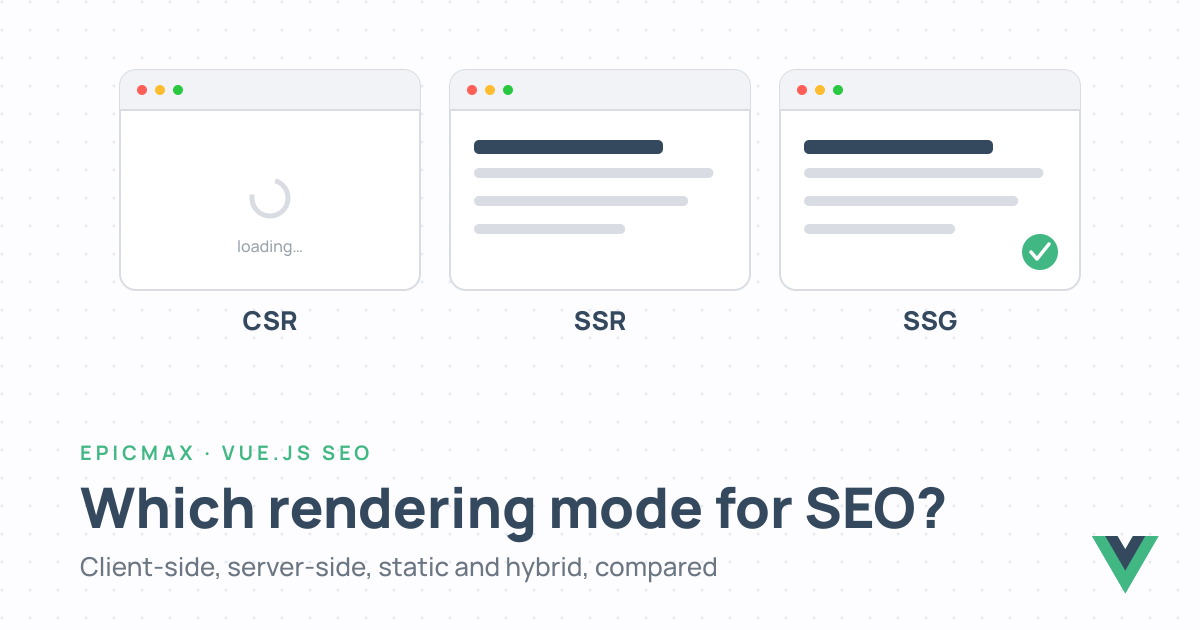
Vue server-side rendering SEO questions reach us in one form: "Google cannot see our pages, do we need SSR?" The usual answer is "for some of them". Vue can render in the browser, on the server, at build time, or a mix per route, and each mode changes what a crawler receives. This guide compares the modes and shows how to choose. Meta tags, sitemaps and structured data live in our Vue SEO best practices guide; this one covers rendering only.
Vue Client-Side Rendering and Why It Hurts SEO
A default Vue app, the kind create-vue scaffolds, is client-side rendered. The server sends an HTML file with an empty <div id="app"></div> and a script tag; the browser downloads the JavaScript, runs Vue, calls your API and builds the page. People see a finished page. A crawler sees the empty div first.
Google copes, on its own schedule. Its JavaScript SEO documentation describes three phases: crawl the HTML, queue the page for rendering, render it in an evergreen headless Chromium "once Google's resources allow", then index the result. A page "may stay on this queue for a few seconds, but it can take longer than that." Four things go wrong in that gap:
- New or changed content is indexed late, or from a stale copy.
- Links that only appear after rendering are discovered late, which slows crawling of the whole site.
- Anything fetched after mount that fails, times out or needs a cookie is missing from the indexed page.
- The SPA returns 200 for every path, so a deleted product page looks like a thin live page unless you redirect or add
noindexyourself.
And Google is the generous one. Bing renders less, and most AI crawlers, OpenAI's and Anthropic's included, fetch raw HTML and never run JavaScript, which is why our guide to SEO for AI agents treats rendering mode as the biggest technical risk. Vue client-side rendering is fine for an app behind a login. For a public page it is a problem statement.
Vue SEO Rendering Modes Compared
Vue gives you several SEO-friendly options for rendering, from full SSR to static generation, and Nuxt adds a fourth that mixes them per route. The three base modes differ in the one thing a crawler cares about: when the HTML is produced.
| CSR | SSR | SSG / prerendering | |
|---|---|---|---|
| What the crawler gets on first request | Empty root element plus JavaScript | Complete HTML, rendered for that request | Complete HTML, rendered at build time |
| When HTML is produced | In the browser | Per request, on a Node or edge server | Once, at deploy |
| Content freshness | Live | Live, or cached for a chosen time | As of the last build, unless refreshed with SWR or ISR |
| Hosting | Any static host | Server runtime (Node, edge, serverless) | Any static host or CDN |
| Time to first byte | Fast shell, content arrives later | Depends on render time and caching | Fastest, content included |
| Best for | Dashboards and apps behind login | Catalogues, search results, personalised or fast-changing pages | Marketing pages, docs, blogs |
| Vue tooling | create-vue + Vue Router | Nuxt (default mode), or createSSRApp + renderToString | nuxt generate, or prerender route rules |
The fourth mode is hybrid rendering. Nuxt sets the mode per route in nuxt.config.ts, so one app can prerender the marketing pages, server-render and cache the catalogue, and skip the server entirely for the account area:
export default defineNuxtConfig({
  routeRules: {
    '/': { prerender: true },
    '/blog/**': { prerender: true },
    '/products/**': { swr: 3600 },
    '/account/**': { ssr: false },
  },
})
One app, four behaviours, no second framework. Dynamic rendering is deliberately absent from the table. It is not a rendering mode for users, only a workaround for bots, and it gets its own section below.
Vue Server-Side Rendering SEO in Practice
For most teams, Vue server-side rendering SEO work starts and ends with Nuxt. It renders on the server by default, fetches data in the right place, manages the <head>, hydrates on the client and deploys to any host. Our Nuxt development services team starts every SEO-critical Vue project there.
Custom SSR exists for the cases with a reason: an existing Express or Fastify app you cannot replace, or Vue embedded in a non-Nuxt stack. Vue's own API is small:
import { createSSRApp } from 'vue'
import { renderToString } from 'vue/server-renderer'

const app = createSSRApp(App)
const html = await renderToString(app)
Everything after that line, routing, data, head tags, hydration, bundling and caching, is yours to build. That is the job Nuxt already does.
Whichever path you take, the SEO pitfalls are the same four:
- Fetch data where the server can see it. In Nuxt that means
useAsyncDataoruseFetch, which run during SSR and ship the result in the payload so the client does not refetch. A fetch inonMountedruns only in the browser, so the server HTML has no content and crawlers are back to CSR. - Guard browser APIs.
window,documentandlocalStoragedo not exist on the server. Put that code inonMounted, behindimport.meta.client, or inside<ClientOnly>. - Avoid hydration mismatches. A
<div>inside a<p>, a random ID, a date in the server's timezone orv-if="window.innerWidth > 768"all render differently on the client. Vue repairs it, but you pay in performance, and the crawler indexed the server version anyway. - Keep time to first byte low. SSR costs render time per request. Cache with
swrorisrroute rules, Nitro's cache layer or a CDN, and only render live what has to be live.
Still on Nuxt 3? The Nuxt 4 migration guide is the first step: same rendering model, better data-fetching defaults.
Vue Dynamic Rendering: Best Practices
Vue dynamic rendering means two unrelated things, and search results mix them up: a crawler-only serving trick, and the ordinary work of showing content that changes. They need different advice.
Dynamic Rendering for Search Engine Crawlers
Dynamic rendering detects a bot by its user agent and serves it a prerendered HTML snapshot, made with a headless browser such as Rendertron, Prerender.io or your own Puppeteer script, while people get the normal SPA. Google suggested it for JavaScript sites around 2018.
It no longer does. Google's dynamic rendering page, updated in December 2025, calls it "a workaround and not a long-term solution" and does not recommend it because of the extra complexity and resources. The alternatives it recommends are server-side rendering, static rendering and hydration: in Vue, Nuxt SSR, prerendering, or both.
If you inherited one, the best practices for dynamic rendering in Vue are about leaving it safely. Serve bots exactly what users see, or it looks like cloaking. Keep status codes honest, so a missing page is a 404 in the snapshot too. Cache snapshots and refresh them when content changes. Then set an end date and move the key routes to prerendering.
Rendering Dynamic Content in Vue Components
The second meaning is Vue dynamic content rendering: pages whose content comes from a CMS, an API or the user. The rule is simple. If a crawler should see it, render it on the server.
- Fetch with
useAsyncDataoruseFetchso the content is in the HTML, not added after mount. v-ifremoves an element from the HTML;v-showkeeps it in the DOM and hides it. Collapsed sections that matter for search should stay in the markup.- Give infinite scroll real paginated URLs. Crawlers do not scroll.
- Lazy-hydrate heavy components below the fold:
<LazyMyComponent hydrate-on-visible />still renders the HTML on the server and only delays the JavaScript. - Render a sensible default for personalised content on the server, then swap it on the client.
- Keep
<ClientOnly>for widgets with no SEO value, such as maps and charts, and give it a fallback.
How to Choose a Rendering Strategy for Your Vue App
Pick the mode per page type. A project rarely needs just one.
- Marketing pages, docs and blog: static generation. The content changes with deploys, the HTML is ready before anyone asks for it, and hosting is a CDN. This site is a Nuxt app generated to static files.
- Catalogue, listings and e-commerce: server-side rendering with a cache. Use
swrorisrroute rules so a product page renders once per hour, not once per visit. - Dashboards and anything behind login: client-side rendering with
ssr: falseon those routes. No crawler will ever see them, and your build gets faster. - An old Vue SPA you need to rescue: move it to Nuxt and prerender the routes that earn traffic first, usually the homepage and a handful of landing pages, while the rest stays client-rendered. Expand from there. This is the shape most of our migrating to Nuxt projects take.
Conclusion
Client-side rendering makes a crawler wait for JavaScript, and some crawlers never run it. Server-side rendering and static generation both hand over complete HTML; they differ in when it is produced and what it costs to serve. Nuxt lets you pick per route, which settles most "SSR or SSG?" debates: both, in the right places. Dynamic rendering is a bridge, not a destination. Pick the mode by page type, fetch data where the server can see it, and the rest of your Vue SEO work starts on solid ground.
Vue.js SEO Rendering FAQs
Does Google index client-side rendered Vue apps?
Yes, on a delay and with risks. Googlebot queues the page, renders it in a headless Chromium when resources allow, then indexes the result, so new content waits and anything that fails to load after mount is missing. Bing renders less; most AI crawlers do not run JavaScript at all.
Do I need Nuxt for server-side rendering in Vue?
No. Vue ships its own SSR APIs, createSSRApp and renderToString from vue/server-renderer, and they work in any Node server. You then own routing, data fetching, head management, hydration and the build. Nuxt does all of that, which is why we treat custom SSR as the exception.
Is SSG better than SSR for SEO?
A crawler gets the same complete HTML either way, so neither ranks better by itself. SSG is cheaper and faster to serve because the HTML exists before the request. SSR fits pages that change per request or too often to rebuild. Most sites mix the two per route.
Does SSR make a Vue app slower?
It moves work to the server: every uncached request costs render time before the first byte. In return users and crawlers get a complete page sooner instead of a blank shell. Cache rendered responses with route rules or a CDN and most of the cost disappears.
Is dynamic rendering still recommended by Google?
No. Google's documentation calls dynamic rendering a workaround rather than a long-term solution and does not recommend it because of the extra complexity and resources. It recommends server-side rendering, static rendering or hydration, which in Vue terms means Nuxt SSR, prerendering or a mix.
What is hydration in Vue?
Hydration is the step where the Vue app in the browser attaches to HTML rendered on the server instead of building the DOM from scratch: Vue walks the existing nodes, links them to components and adds event listeners. Different server and client markup causes a hydration mismatch, which Vue repairs at a performance cost.
Vue.js is our passion. Open Source is our culture 😍